
Service
Automated Call Answering Service in Daytona Beach for Booked Appointments and Qualified Leads

Automated call answering service helps businesses capture every inbound call, qualify prospects instantly, and turn missed conversations into booked appointments. Many companies in Daytona Beach invest heavily in ads or SEO to drive calls, only to miss them after hours or during busy periods. A missed call often means a lost customer who moves on to the next competitor. For local businesses that rely on phone inquiries, consistent call handling directly impacts revenue, customer trust, and long term growth.
In practice, performance issues often start before the phone even rings. Poor site architecture, slow page speed, and weak internal linking can limit visibility in search, reducing the volume of qualified calls coming in. We frequently see businesses managing dozens of service pages without clear keyword targeting, leading to traffic that does not convert into real inquiries. Crawl diagnostics and indexing reviews often reveal content gaps that prevent high intent pages from ranking where they should.
At RockN' Socials, we combine structured technical audits with conversion focused call automation strategies built for local service businesses and growing companies relying on inbound leads. Our process includes technical audit reports and search visibility diagnostics that show exactly where calls are being lost. On this page, you will see how we implement, optimize, and scale this system for companies operating in Daytona Beach.
What You Get
When you implement our AI Receptionist for Businesses service, you receive a fully configured call handling system built to capture, qualify, and route inbound calls without relying on manual staff intervention. The setup is structured, documented, and integrated into your existing systems so it supports real business operations, not just basic call answering.
Deliverables
AI receptionist setup including voice configuration, greeting scripts, fallback responses, and escalation paths documented in a setup summary report.
Call handling automation that answers inbound calls, collects caller details, responds to common questions, and routes calls based on defined logic rules.
Lead qualification flows built using structured question paths that identify service type, urgency, budget range, and service area, with captured data synced to RockN' Socials CRM.
Appointment booking integration connected to your scheduling platform, allowing callers to book available time slots in real time based on your business hours and staff availability.
Call routing optimization that directs calls to the correct department, team member, or voicemail based on time of day, service request, or caller input.
Monthly performance reporting outlining total calls handled, missed call recovery, booked appointments, call outcomes, and qualification breakdowns.
Quarterly optimization reviews including a documented improvement plan with updates to scripts, routing logic, booking flows, and automation rules based on performance trends.
For businesses operating in Daytona Beach, configuration can account for local service areas, peak seasonal demand, and region-specific inquiries.
Tools and Access
This service is built using RockN' Socials CRM, AI voice systems, call routing platforms, automation workflows, and analytics tools.
We integrate the system with your existing phone infrastructure or VoIP provider. In most cases, this requires administrative access to your phone system and CRM.
You will maintain visibility into call data inside your CRM dashboard, including caller records, call outcomes, and booked appointments. Access levels can be assigned to owners, managers, or front desk staff as needed.
What You’ll Be Able to Review
You will be able to review:
Call logs with timestamps, caller details, and routing outcomes
Lead records created from inbound calls
Appointment bookings generated by the system
Missed call comparisons before and after implementation
Monthly performance reports in PDF or dashboard format
A documented optimization log showing updates made during quarterly reviews
This visibility allows you to verify how calls are handled and measure how automation impacts booking volume and response time.
What We Need From You to Start
To begin implementation, we require:
Administrative access to your phone system
Access to your CRM or approval to configure RockN' Socials CRM
A list of services you provide
Business hours and holiday schedules
Call scripts, FAQs, or common customer questions
Rules for call routing and escalation
If you serve customers in Daytona Beach, we will also need clarification on your service areas and scheduling constraints to ensure routing and booking rules align with your local operations.
How We Evaluate and Improve Performance
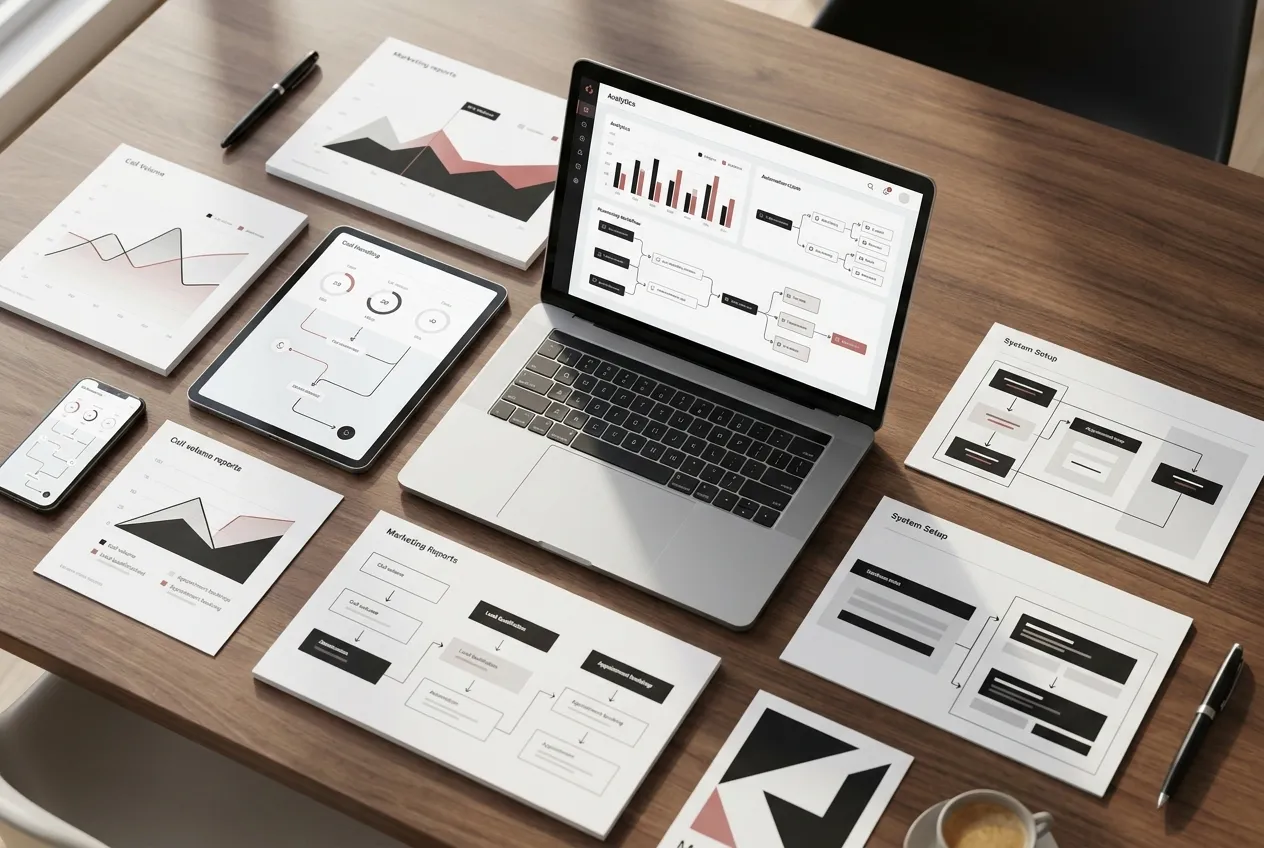
Improving performance starts with structured analysis, not assumptions. Every recommendation is based on measurable data pulled from call systems, automation workflows, and CRM tracking.
Data Sources We Analyze
When evaluating an automated call answering service, we review multiple layers of operational data to understand how calls are handled from start to finish.
Using RockN' Socials CRM, we analyze:
Total inbound call volume
Missed versus answered calls
Lead qualification outcomes
Appointment booking rates
Follow-up completion status
From AI voice systems, we review call transcripts, caller intent detection accuracy, and fallback rates when the system cannot understand a request.
Within call routing platforms, we examine:
Call transfer frequency
Average response times
Routing accuracy by department
Abandonment rates
Through automation workflows, we check whether qualified leads are properly tagged, assigned, and moved into booking or follow-up sequences.
Finally, analytics tools help us identify time-based trends such as peak call hours, seasonal fluctuations, and recurring service requests. Each data source provides a different signal. When analyzed together, they reveal where breakdowns are occurring.
Example Findings We Often Identify
During audits, we commonly find patterns such as:
High call volume during specific hours with increased abandonment
Strong lead qualification but low appointment booking completion
Repeated call transfers due to unclear routing logic
AI misinterpreting certain service requests
Delays between call completion and CRM follow-up
These findings are documented inside the CRM and categorized by impact level. Issues that affect revenue, such as lost bookings or routing errors, are prioritized over cosmetic workflow improvements.
Resolving these problems often improves efficiency without increasing call volume. In many cases, performance issues are caused by small configuration gaps rather than system limitations.
Example Analysis Scenario
For businesses operating in Daytona Beach, we often see heavy call spikes during tourist seasons and local event periods. In one scenario, a service business showed strong inbound call volume but declining appointment confirmations.
We compared AI call transcripts with CRM booking data and discovered that callers were asking detailed pricing questions the system was not programmed to handle. The AI voice system transferred too many of these calls to voicemail during peak hours.
By reviewing routing logs, transcript intent accuracy, and booking completion data together, we identified the root cause as script limitations rather than staffing shortages. This type of cross-platform comparison prevents misdiagnosing the issue.
Real Tool Workflow
Our evaluation process connects tools rather than reviewing them in isolation.
AI voice systems provide caller intent and conversation quality data.
Call routing platforms show where calls are directed and how long they wait.
Automation workflows confirm whether qualified leads move into the correct sequences.
RockN' Socials CRM tracks the final outcome, including bookings and follow-ups.
By comparing these systems side by side, we avoid incorrect conclusions. For example, low booking rates might appear to be a script issue but could actually be a routing delay or CRM assignment error.
How Improvements Are Prioritized
We rank improvement opportunities based on three factors:
Revenue impact
Frequency of occurrence
Implementation complexity
Issues that directly affect booking rates or lead capture are addressed first. Next, we refine routing logic and conversation flows to improve efficiency. Lower-impact workflow adjustments are handled during quarterly optimization reviews.
Monthly performance reporting ensures changes are measured against previous periods. If improvements do not produce measurable gains, we reassess the data and adjust the configuration. This structured approach ensures performance improvements are intentional, trackable, and sustainable.

Our Process
Strong results come from a structured process, not random tweaks. To make an AI receptionist work in real business conditions, we follow a clear workflow that turns your current call handling into a documented system, then improves it over time based on what callers actually do.
Step 1: Initial Assessment
We start by reviewing your current customer path from “missed call” to “booked appointment.” This includes looking at how calls are answered today, what happens after hours, and where leads tend to drop off.
We also review key inputs that affect call outcomes, such as your service list, business hours, common customer questions, and how your team wants to handle urgent or complex requests. If you have call recordings or call logs, we use them to find patterns like repeated questions, common objections, and the most frequent reasons people call.
For businesses operating in Daytona Beach, we also note practical factors like seasonal spikes and the types of inquiries that tend to increase during peak periods.
Step 2: Strategic Planning
Next, we turn what we learned into a clear call handling plan. We map out:
The caller journey (what the caller hears and what they can do)
The information that must be captured on every call
Routing rules for different request types (sales, service, billing, emergencies, and general questions)
Escalation rules (when to transfer to a person, when to send to voicemail, and when to collect details for follow-up)
This step matters because it prevents gaps and guesswork. A good plan keeps the experience consistent and reduces the chance that callers get stuck, confused, or routed to the wrong place.
Step 3: Implementation
Once the plan is approved, we build and configure the system. This is where your automated call answering service is set up to match your real operations.
We create and test the call flow, including greetings, menus (if needed), question paths, and fallback handling when callers give unclear answers. We also connect the system to your scheduling and CRM environment so new callers can be tracked and follow-ups are triggered correctly.
Before launch, we run test calls for different scenarios: new lead calls, existing customer calls, after-hours calls, and calls that require a handoff. We adjust wording, pacing, and routing until the experience is smooth and accurate.
Step 4: Monitoring and Measurement
After the system is live, we track how it performs in daily use. We review outcomes like call completion rates, transfer success, booking completion, and how often callers ask for a human.
We also look for “friction points,” such as callers repeating themselves, hanging up at a specific step, or selecting the wrong option. Monitoring matters because call handling is behavior-based. The data shows what callers prefer, not what we assume they prefer.
Step 5: Continuous Refinement
As patterns become clear, we refine the system in small, controlled updates. This can include tightening question order, improving responses to common questions, updating routing rules, and adjusting how the system handles edge cases.
We also account for changes in your business—new services, staffing changes, updated hours, or new policies—so the call experience stays aligned. For companies serving customers in Daytona Beach, we can also adjust flows during seasonal shifts to keep routing and booking logic practical when call volume changes.
Pricing
Pricing depends on the scope of work, technical complexity, and the needs of each business. For companies serving customers in Daytona Beach, local call volume, service demand, and scheduling patterns can affect the final investment.
Projects typically start around $500 setup + $100/month — suitable for small, single-line setups that need basic call answering, simple prospect qualification, and straightforward appointment booking.
Most businesses invest between $500 setup + $150–$300/month — common for growing practices that require more tailored call flows, multiple user accounts, and moderate integrations with calendars or CRM tools.
Larger or more complex implementations may range $1,000+ setup + $300–$1,000+/month (multi-line, advanced flows, integrations) — applies to multi-location operations, higher call volume environments, or projects that need deep integrations, custom scripting, and advanced routing.
Common factors that influence pricing include:
size of the website
number of pages or services involved
technical complexity of integrations and call flows
competitiveness of the market in which the business operates
level of ongoing support and monitoring required
current condition of the website and existing systems
Most engagements begin with a consultation or system review to define the right scope. That initial assessment helps determine which features are necessary so businesses invest only in the capabilities that will provide real operational value.

Next Step
The next step is a consultation to understand your business goals, current situation, and how you handle incoming leads. This conversation is tailored to businesses operating in Daytona Beach.
The discussion will clarify priorities and the scope of support and resources you need. It will also cover timeline expectations, available capacity, and the level of work involved.
Its purpose is to identify practical opportunities to improve how you capture and qualify leads within your current setup. It also helps determine whether the service is a good fit for your operations and team.
If you would like to explore the service further, you can schedule a consultation.
FAQ'S
Frequently Asked Questions
Quick answers about how we help businesses grow.