
Service
Ai Chatbot For Customer Service In Daytona Beach For Qualified Leads And Booked Appointments

Ai chatbot for customer service helps businesses capture and convert leads the moment a visitor lands on their website, sends a text, or reaches out through social media. Instead of missing inquiries after hours or relying on staff to respond manually, companies can automatically qualify prospects, answer common questions, and book appointments in real time. Many businesses in Daytona Beach see steady website traffic but struggle with low form submissions or missed calls, especially when they depend heavily on paid ads. An automated system turns those existing visitors into scheduled consultations and trackable revenue opportunities.
In practice, effective ai customer service requires proper integration with your CRM, booking software, and website architecture to ensure conversations are logged and routed correctly. ai chatbots customer service systems often underperform when page speed is slow, scripts are poorly implemented, or tracking is not configured to measure conversions accurately. We frequently see companies managing dozens of service pages where inconsistent internal linking and unclear calls to action limit how well chatbot interactions convert into qualified leads.
At RockN' Socials, we approach implementation through structured technical audits and a clear prioritization framework so automation supports real growth goals. Our process includes crawl diagnostics and conversion tracking reviews to confirm the chatbot is indexed correctly, loading efficiently, and tied into measurable events. We work with local service businesses and growing companies relying on inbound leads, and the rest of this page explains how we turn automated conversations into booked appointments and qualified opportunities.
What You Get
This service delivers a fully implemented chatbot system that handles inquiries, qualifies leads, and routes conversations automatically. You receive a working automation framework built around your services, customer questions, and sales process.
Deliverables
AI chatbot implementation
Full setup of a live chatbot on your website or messaging platform, including configuration, testing, and deployment. This includes connection to your CRM and defined response triggers.Conversation flow design document
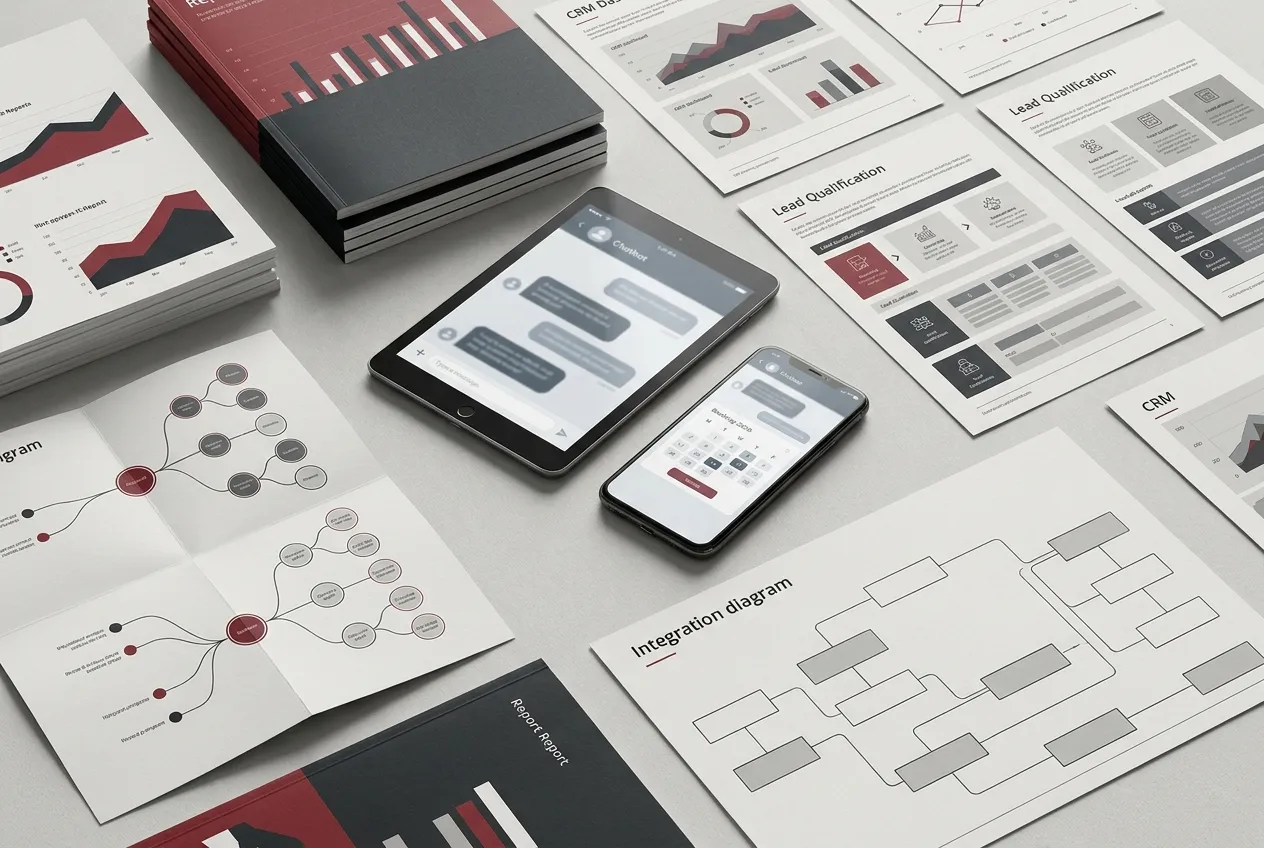
A mapped conversation tree outlining greetings, FAQs, lead qualification questions, escalation paths, and fallback responses. This document shows how inquiries move from first message to resolution or booking.Lead qualification automation setup
Structured question sequences that collect contact details, service type, budget range, and urgency. Qualified leads are automatically tagged and assigned inside your system to support ai customer service workflows.Appointment booking integration
Direct connection between the chatbot and your scheduling system. Prospects can view availability and confirm appointments without manual follow up.Customer support automation sequences
Prebuilt responses for common service questions, pricing inquiries, operating hours, and service areas. Escalation rules route complex issues to a human team member when needed.CRM and system integration plan
A written integration outline showing how chatbot data flows into RockN' Socials CRM and other platforms through automation workflow tools and integration systems.Monthly performance report
A report covering conversation volume, lead capture rate, booking conversions, and common inquiry categories.Quarterly conversation optimization review
A structured review of chatbot performance with documented updates to improve flow, clarity, and conversion paths, supporting long term ai and customer service improvements.
This setup is tailored for businesses operating in Daytona Beach that manage high inquiry volume and need consistent response handling.
Tools and Access
We use RockN' Socials CRM, AI chatbot platforms, automation workflow tools, integration systems, and analytics and monitoring platforms.
The chatbot is connected to your website, messaging channels, and CRM to ensure all leads and conversations are logged. Access levels are defined before launch to protect data and maintain operational control.
To complete setup, we may require:
Admin access to your website or CMS
Access to messaging platforms such as Facebook or Instagram
CRM login credentials or API access
Calendar or scheduling system access
All integrations are documented so your team understands how data moves between systems.
What You’ll Be Able to Review
You will have visibility into:
Live chatbot conversations
Lead qualification responses
Appointment bookings generated through the chatbot
Escalated support tickets
Monthly performance reporting dashboards
You can review conversation logs to see how ai chatbots customer service interactions are handled, identify missed opportunities, and confirm that inquiries are routed correctly.
Quarterly reviews include a documented summary of changes made to flows, updated question logic, and performance trends over time.
What We Need From You to Start
To begin implementation, we require:
A list of your most common customer questions
Clear descriptions of your services and pricing structure
Defined lead qualification criteria
Access to your website, CRM, and messaging platforms
Escalation contact details for complex inquiries
This information allows us to design accurate conversation flows that reflect how your business actually operates and ensure the automation supports real customer needs.
How We Evaluate and Improve Performance
Performance improvements are based on structured analysis, not assumptions. Every decision is guided by measurable data pulled from system logs, user behavior, and conversion tracking.
Data Sources We Analyze
To evaluate an ai chatbot for customer service, we review data across multiple systems to understand how conversations begin, progress, and convert.
From AI chatbot platforms, we analyze:
Conversation start volume
Completion rates
Drop-off points within flows
Escalations to human support
Intent recognition accuracy
Inside RockN' Socials CRM, we examine:
Lead qualification tags
Response time benchmarks
Appointment booking rates
Pipeline progression after chatbot interaction
Automation workflow tools and integration systems show whether data is syncing correctly between the chatbot, CRM, calendars, and email systems. This helps us detect breakdowns that may not be visible in surface-level metrics.
Analytics and monitoring platforms provide behavioral context. We look at device type, time of day, referral source, and page-level engagement to determine whether performance issues are technical, behavioral, or messaging-related.
Each signal matters because chatbot performance is not just about responses. It is about how effectively ai and customer service systems move users toward clear business outcomes.
Example Findings We Often Identify
During evaluation, we commonly document patterns such as:
High conversation starts but low completion rates
Frequent exits at specific qualification questions
Appointment booking links that fail to load on mobile
Overly complex decision trees causing user confusion
Leads being captured but not properly tagged in the CRM
These findings are logged in structured review documents that map each issue to a measurable impact, such as lost bookings or delayed follow-up.
Resolving these issues typically improves response efficiency, lead quality, and support automation reliability without increasing traffic volume.
Example Analysis Scenario
For service businesses operating in Daytona Beach, we often see strong inquiry volume during seasonal demand spikes. In one scenario, chatbot engagement increased significantly, but booked appointments remained flat.
We compared:
Chatbot conversation logs
CRM lead status progression
Calendar integration data
On-site behavioral analytics
The analysis showed that users were reaching the scheduling step but abandoning the process due to a calendar sync delay on mobile devices. Without reviewing multiple systems together, this would appear to be a messaging issue rather than a technical one.
By identifying the root cause through cross-platform comparison, we corrected the integration error instead of rewriting conversation flows unnecessarily.
Real Tool Workflow
Our evaluation process connects all tools into one diagnostic workflow.
AI chatbot platforms provide interaction-level data.
RockN' Socials CRM confirms whether conversations become qualified leads.
Automation workflow tools verify that triggers and follow-ups activate correctly.
Integration systems ensure data flows without interruption.
Analytics and monitoring platforms validate user behavior before and after chatbot interaction.
Each tool provides a different signal. Reviewing them together prevents false conclusions, such as blaming conversation design when the real issue is a broken integration.
How Improvements Are Prioritized
Not all issues have equal impact. We rank improvements using three criteria:
Revenue impact potential
Implementation complexity
Risk to current automation systems
High-impact, low-complexity fixes are addressed first, such as correcting broken booking links or simplifying qualification steps. More complex structural changes, like redesigning full conversation trees, are scheduled during quarterly conversation optimization reviews.
This structured prioritization ensures that improvements increase efficiency, strengthen ai customer service, and support long-term scalability rather than creating short-term disruptions.

Our Process
Strong chatbot results come from a structured build, not random tweaks. Our workflow focuses on understanding how your customers actually ask questions, how your team handles requests today, and how data should move between systems so the chatbot can respond, qualify, and route conversations reliably.
Step 1: Initial Assessment
We start by reviewing your current customer touchpoints and how inquiries come in. This includes your website pages where questions and lead requests happen, your contact forms, and the channels you use most (site chat, social messages, and SMS if applicable). We also look at what happens after someone reaches out—where the conversation goes, who responds, and what information is usually missing.
On the systems side, we confirm what tools are in place (RockN' Socials CRM, scheduling tools, and any existing automations). For businesses operating in Daytona Beach, we also consider seasonality and peak inquiry periods so the chatbot can handle higher volume without breaking key workflows.
Step 2: Strategic Planning
Next, we turn what we found into a clear plan. We define:
The main goals of the chatbot (support requests, lead capture, appointment booking, or a mix)
The key questions the bot should answer and what must be handed to a person
The exact data to collect for lead qualification (so your team gets usable details, not vague messages)
The rules for routing and escalation, including time-based behavior and after-hours handling
This step matters because it prevents a chatbot from becoming a “nice-to-have” widget and instead makes it a dependable part of your ai chatbot for customer service workflow.
Step 3: Implementation
With the plan approved, we build and connect the system. We set up the chatbot on the agreed channel(s), then configure conversation paths based on your real services and common questions. We connect the bot to RockN' Socials CRM so contacts, tags, and conversation details are captured consistently.
We also implement scheduling connection logic, making sure the booking experience matches how your calendar works (availability, appointment types, and confirmation steps). Before launch, we run tests for edge cases—unclear questions, incomplete answers, repeat contacts, and requests that should go to a team member—so the bot behaves predictably.
Step 4: Monitoring and Measurement
After launch, we track performance using conversation logs and system reporting. We review:
Where conversations succeed or drop off
Which questions are asked most often
How often the bot escalates and whether escalations contain the right context
Lead capture quality (are fields complete and useful?)
We also spot operational issues like missed notifications, incorrect routing, or scheduling conflicts. This measurement step keeps your ai customer service experience consistent, even as inquiry patterns change.
Step 5: Continuous Refinement
Chatbots improve through controlled iteration. We make adjustments based on real conversations, not guesses. That may include rewriting responses for clarity, changing the order of questions to reduce friction, adding new intents when customers ask about something unexpected, or tightening escalation rules so urgent issues reach the right person faster.
Over time, this approach helps your team spend less time on repetitive messages while keeping customer conversations accurate, trackable, and easy to manage.
Pricing
Pricing varies based on project scope, technical complexity, and the needs of each business. Costs change when deep integrations, custom conversation flows, or appointment-booking connections are required. We price with real-world conditions in mind for businesses operating in Daytona Beach and similar markets.
Projects typically start around $500 setup ($100/Month) — suitable for small sites or single-service businesses that need a simple lead-qualification flow and basic messaging on one channel.
Most businesses invest between $500 setup ($250-$500/Month) — common for companies adding multi-page coverage, SMS or social platform connections, and moderate customization to qualify leads and schedule appointments.
Larger or more complex implementations may range $1,000+ setup ($500+/Month) — applies to enterprise-level needs, multi-channel automation, CRM integrations, advanced natural language tuning, or heavy ongoing management.
Common factors that influence final pricing include:
size of the website, since larger sites often need broader coverage and testing
number of pages or services involved, which increases the volume of conversation paths to build
technical complexity, such as third-party integrations, custom APIs, or appointment systems
competitiveness of the market, which can require more advanced qualification and personalization
level of ongoing support required, from monthly maintenance to frequent content and flow updates
current condition of the website, including speed, security, and whether new pages or tracking must be added
Most projects begin with a consultation or technical review to define goals and scope. That initial review helps set a clear, tailored price so businesses only invest in the improvements that provide real value.

Next Step
The next step is a consultation to understand your business goals and current situation. We tailor that conversation to businesses operating in Daytona Beach so it stays relevant.
This conversation helps clarify priorities, scope, timeline, and the level of work involved. That clarity makes it easier to compare options and set realistic expectations.
The purpose of the conversation is to identify practical opportunities and determine whether the service is a good fit for your business. It also helps you see how the service might align with your resources and goals.
If you would like to explore the service further, you can schedule a consultation.
FAQ'S
Frequently Asked Questions
Quick answers about how we help businesses grow.